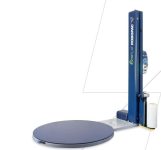
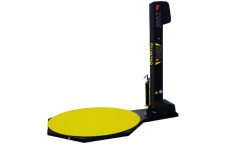
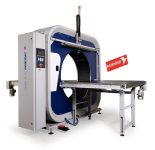
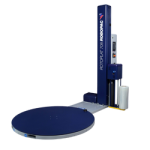
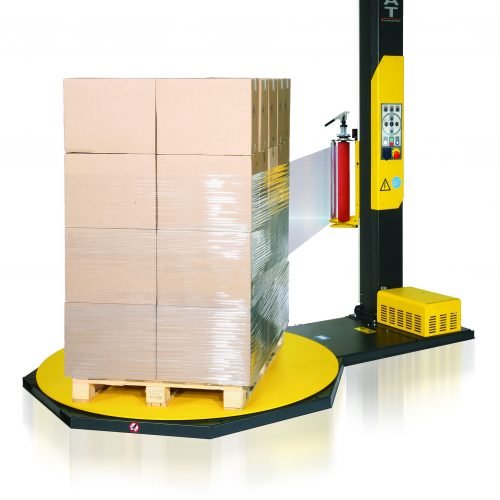
Robopac pallet wrapping machines are designed for reliable, efficient pallet wrapping, but occasional faults and error messages can interrupt warehouse operations.
If your Robopac Ecoplat, Masterplat or Rotoplat pallet wrapper is displaying an error code, our troubleshooting guide can help you identify possible causes and recommended solutions.
The table below covers common Robopac pallet wrapper faults, including emergency stop warnings, film breakage, carriage movement errors, inverter alarms and communication faults.
Always follow the manufacturer’s operating and safety instructions. If a fault persists or requires electrical or mechanical repairs, contact a qualified service engineer rather than attempting repairs yourself.
Robopac Pallet Wrapping Machine Error Codes and Troubleshooting Guide
| Error Code | Machine | Cause and Solution |
|---|---|---|
| 1 Flashes on a Robopac Ecoplat | Robopac Ecoplat | Inverter communication error, caused by an electronic malfunction. Contact technical support. |
| 2 Flashes on a Robopac Ecoplat | Robopac Ecoplat | The emergency plate at the bottom of the carriage is triggered. Release the plate and reset the machine. |
| 3 Flashes on a Robopac Ecoplat | Robopac Ecoplat | There is a motor overload. Remove the cause of the overload. This may be because the chain has come off the turntable sprocket, the carriage has impacted the floor and the micro switch has not activated, or the carriage has gone too high. Turn the machine off and then restart. |
| 4 Flashes on a Robopac Ecoplat | Robopac Ecoplat | Table movement error. A fault or obstacle is preventing table movement. Clear the fault or obstacle, turn the machine off and then restart. |
| 5 Flashes on a Robopac Ecoplat | Robopac Ecoplat | Film breakage detected. Reattach the film and reset the machine. Applies with R-Connect and film monitoring. |
| 6 Flashes on a Robopac Ecoplat | Robopac Ecoplat | Carriage movement error. There is a fault or obstacle preventing film carriage movement. Clear the fault, turn the machine off and then restart. |
| 7 Flashes on a Robopac Ecoplat | Robopac Ecoplat | Pallet missing alarm. No pallet has been detected when starting the cycle. Place the pallet on the table and start a new cycle. |
| E01 Showing on a Robopac Masterplat | Robopac Masterplat | The emergency button is activated. Reset the button and press "Reset". |
| E02 Showing on a Robopac Masterplat | Robopac Masterplat | Carriage movement blocked. An obstacle has been detected during the spool carriage downstroke. Remove the obstacle and press "Reset". |
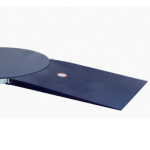
| E03 Showing on a Robopac Masterplat | Robopac Masterplat | Pallet truck emergency. An obstacle has been detected on the pallet loading/unloading ramp. Remove the obstacle and press "Reset". |
| E30 Showing on a Robopac Masterplat | Robopac Masterplat | Inverter alarm: 1. Table, 2. Carriage, 3. Stretch. Driver or voltage errors may include low power, overheating or communication errors. Contact technical support. |
| E04 Showing on a Robopac Masterplat | Robopac Masterplat | Safety barriers are engaged or the door is open. Clear the issue and press "Reset". |
| E39 Showing on a Robopac Masterplat | Robopac Masterplat | Motor issues detected. Contact technical support. |
| E60 Showing on a Robopac Masterplat | Robopac Masterplat | Film torn or spool empty. Replace or reinsert the film. |
| E61 Showing on a Robopac Masterplat | Robopac Masterplat | Table movement error. A fault or obstacle is preventing table movement. Clear the fault or obstacle, turn the machine off and then restart. |
| E83 Showing on a Robopac Masterplat | Robopac Masterplat | Communication error caused by an electronic malfunction. Contact technical support. |
| E01 Showing on a Robopac Rotoplat | Robopac Rotoplat | The emergency button is activated. Reset the button and press "Reset". |
| E02 Showing on a Robopac Rotoplat | Robopac Rotoplat | Carriage movement blocked. An obstacle has been detected during the spool carriage downstroke. Remove the obstacle and press "Reset". |
| E03 Showing on a Robopac Rotoplat | Robopac Rotoplat | Pallet truck emergency. An obstacle has been detected on the pallet loading/unloading ramp. Remove the obstacle and press "Reset". |
| E04 Showing on a Robopac Rotoplat | Robopac Rotoplat | Safety barriers are engaged or the door is open. Clear the issue and press "Reset". |
| E30 Showing on a Robopac Rotoplat | Robopac Rotoplat | Inverter alarm: 1. Table, 2. Carriage, 3. Stretch. Driver or voltage errors may include low power, overheating or communication errors. Contact technical support. |
| E60 Showing on a Robopac Rotoplat | Robopac Rotoplat | Film torn or spool empty. Replace or reinsert the film. |
| E61 Showing on a Robopac Rotoplat | Robopac Rotoplat | Table synchronisation issue. A fault or obstacle is preventing table movement. Fix the fault or clear the obstacle and press "Reset". |
| E64 Showing on a Robopac Rotoplat | Robopac Rotoplat | Carriage blockage. Carriage movement is obstructed. Clear the obstruction and press "Reset". |
| E65 Showing on a Robopac Rotoplat | Robopac Rotoplat | Presser blockage. Presser movement is obstructed. Clear the obstruction and press "Reset". |
| E71 Showing on a Robopac Rotoplat | Robopac Rotoplat | Presser position error. The presser is not in the correct position. Adjust the presser and restart the cycle. |
| E83 Showing on a Robopac Rotoplat | Robopac Rotoplat | Communication error caused by an electronic malfunction. Contact technical support. |
Need Help with Your Pallet Wrapping Machine?
If your Robopac pallet wrapper is still displaying an error code, or you’re experiencing repeated breakdowns, Agritel can help.
We supply pallet wrapping machines, machine stretch film and access to servicing and repair support through our engineering partners.
Whether you need advice on machine performance, replacement equipment or help arranging a service visit, contact our team on 01691 671496.
Explore our range of pallet wrapping machines or contact Agritel for assistance.